

Invite Members
You can invite members to your Organization and assign roles. Permissions are determined by each member’s assigned role.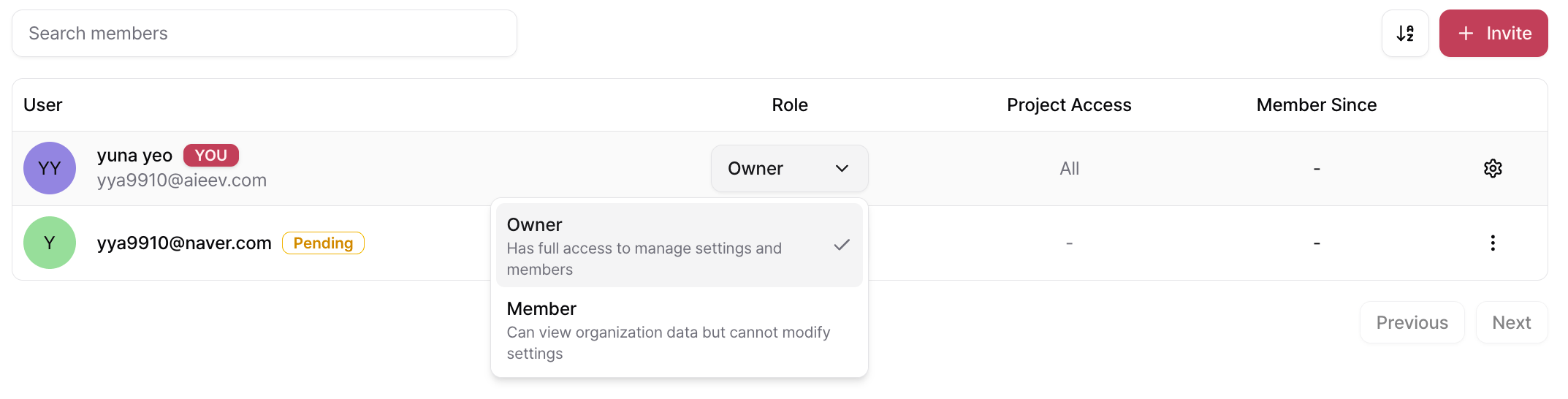
To invite a member:
- Open the Members tab in the Organization page.
- Click + Invite in the upper-right corner.
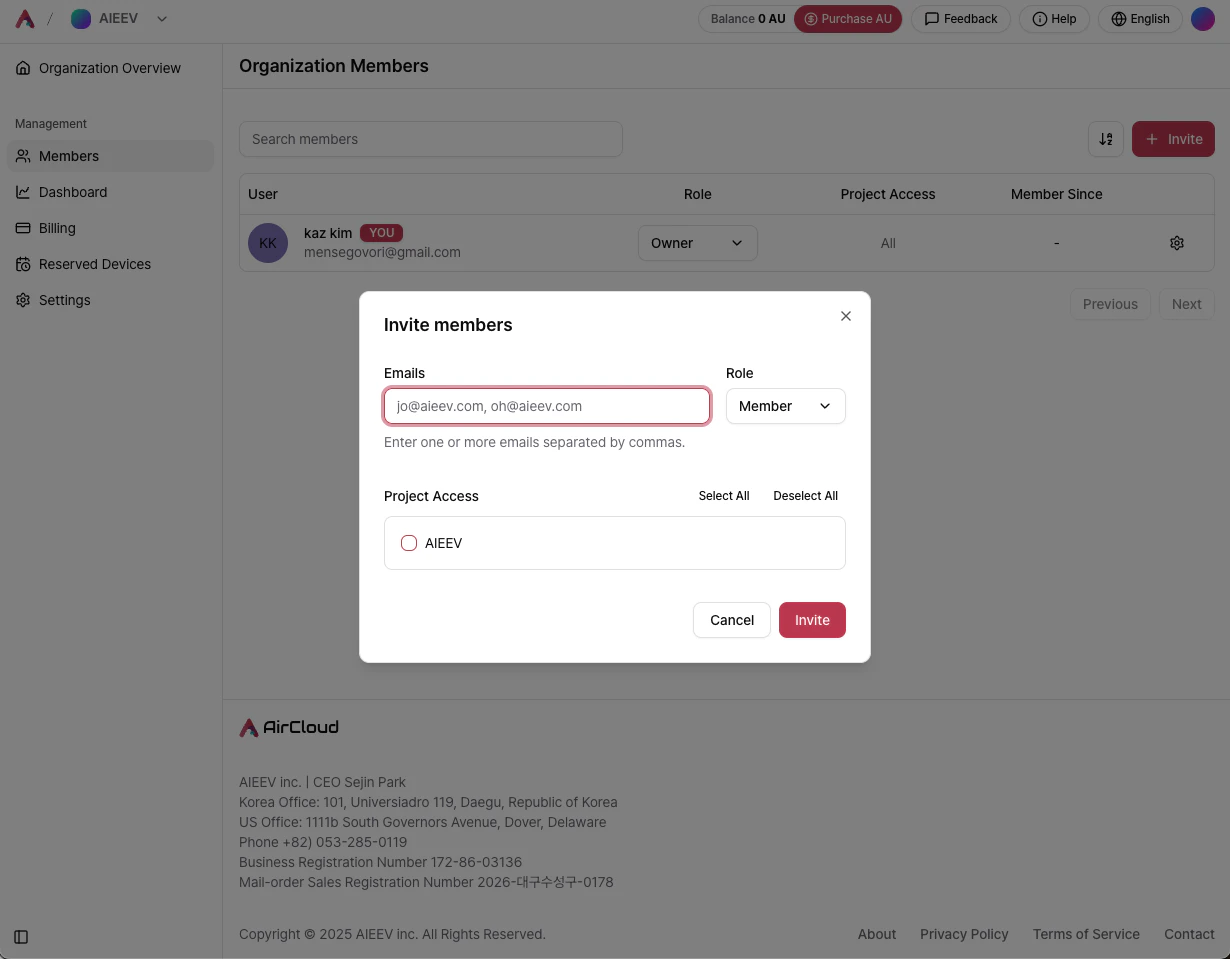
- Email Address — Enter the email address of the member to invite. Multiple email addresses can be entered, separated by commas.
- Role — Select either Owner or Member.
- Project Access — Choose which Projects the member can access. You can grant access to all Projects or select individual Projects.
- Send Invitation — Click Invite to send an invitation email.
Usage Management
Usage
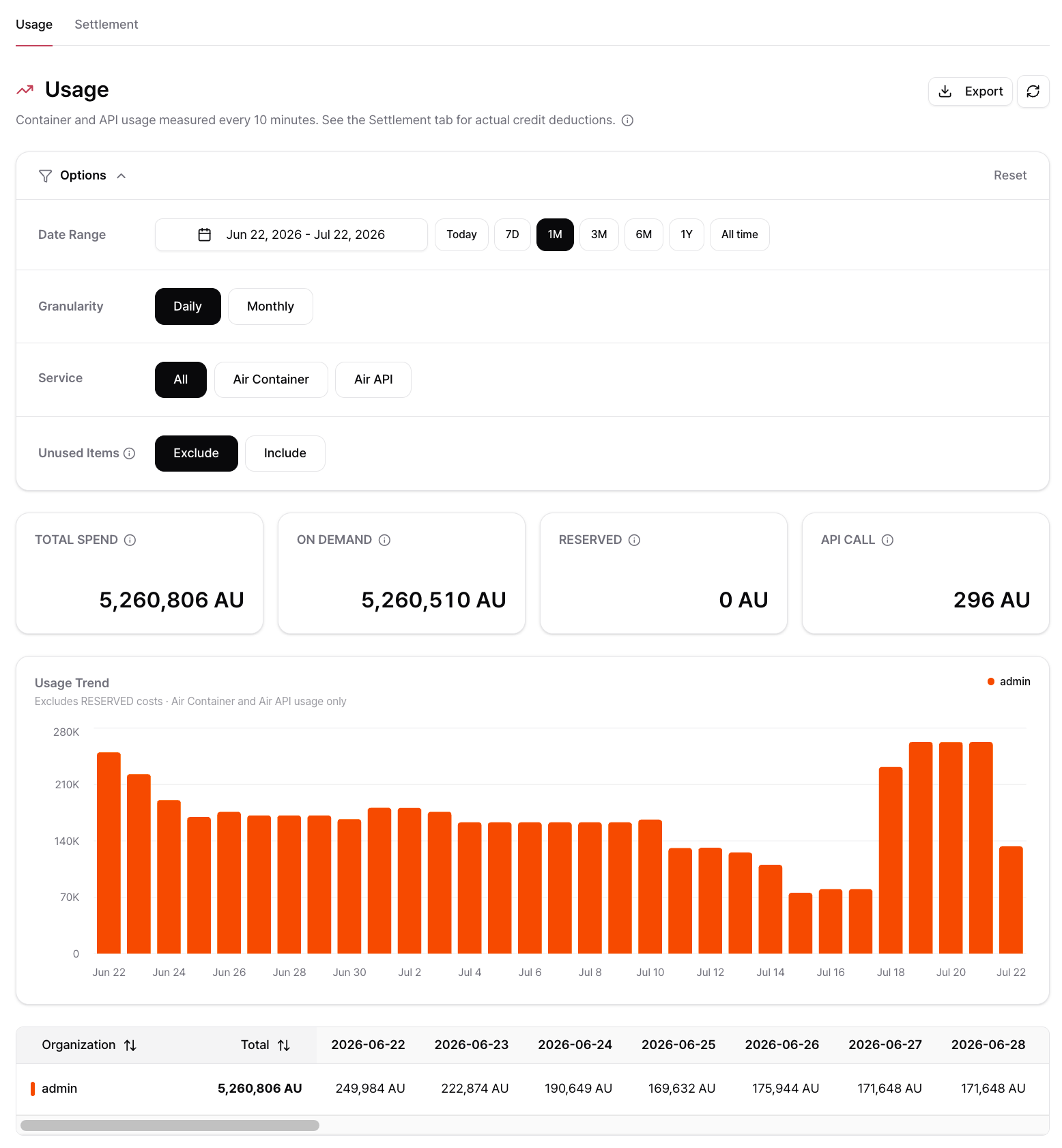
View Options
Expand Options at the top of the page to configure the following:Summary Cards
Usage Trend
The chart displays Air Container and Air API usage cost, excluding RESERVED cost. The table below breaks down usage by Organization for each day (or month) in the selected range.Settlement
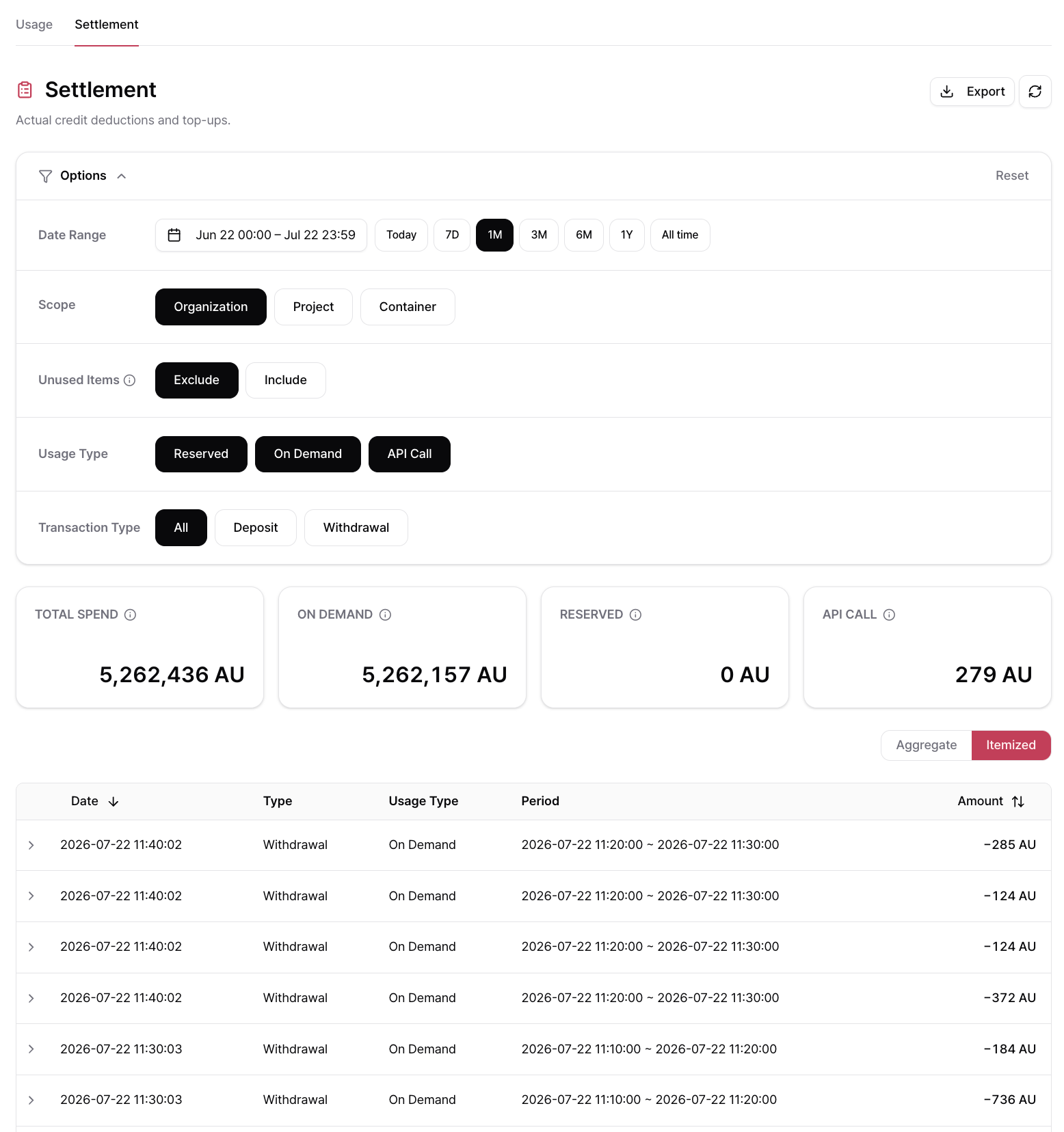
View Options
Aggregate View vs. Item View
Use the toggle in the upper-right to switch between two ways of viewing Settlement data.
Aggregate View columns
Item View columns
Click the chevron on a row to expand its detail and see the fields below.

Export Settlement Data
Click Export in the upper-right corner to download the filtered Settlement data. You can configure:- Date Range
- Columns (including custom column order)
- File Format (
CSV,JSON, orTXT)
Exporting a large number of transactions may take several minutes.
Long-term Rentals
A long-term rental secures the GPUs you use regularly for a fixed term, starting from one month. While a rental is running, containers on the same GPU are already paid for up to the rented quantity, so no usage charges are added on top, and longer terms come with a lower hourly rate. Rentals belong to the Organization and are shared across all its Projects. Manage them from Organization → Long-term Rentals.Long-term Rentals
Terms, discounts, payment, status, cancellation, and how a rental applies to your containers.
Organization Settings
The Organization Settings page allows Organization Owners to manage basic organization information, billing methods, and payment methods. Changes take effect only after clicking Save.
AirCloud uses a prepaid billing model by default. Postpaid billing is available for selected enterprise customers.
For Postpaid billing, available credits are consumed first. Once the balance becomes negative, usage continues to accumulate as a negative balance. At the end of each month, an invoice is automatically generated for the outstanding amount. After payment is completed, the balance is reset to zero.
Enabling Automatic Payment allows invoices to be paid automatically using the registered payment method.
Related Documentation
Billing
Learn how to purchase credits, configure Auto Top-up, and manage invoices.
Contact and Feedback
Contact the AirCloud team or submit product feedback.