

This page summarizes the Organization/Project structure, member management, and the credits/billing model you’ll encounter when getting started with AirCloud.Documentation Index
Fetch the complete documentation index at: https://docs.aieev.com/llms.txt
Use this file to discover all available pages before exploring further.
Organization and Project relationship
An Organization is the top-level administrative unit (team/company). A Project is the unit where you operate workloads. Air API and Air Container are both created and managed inside projects.Credits and payments
AirCloud requires credit top-ups and billing information depending on the resources and workloads you use within a project.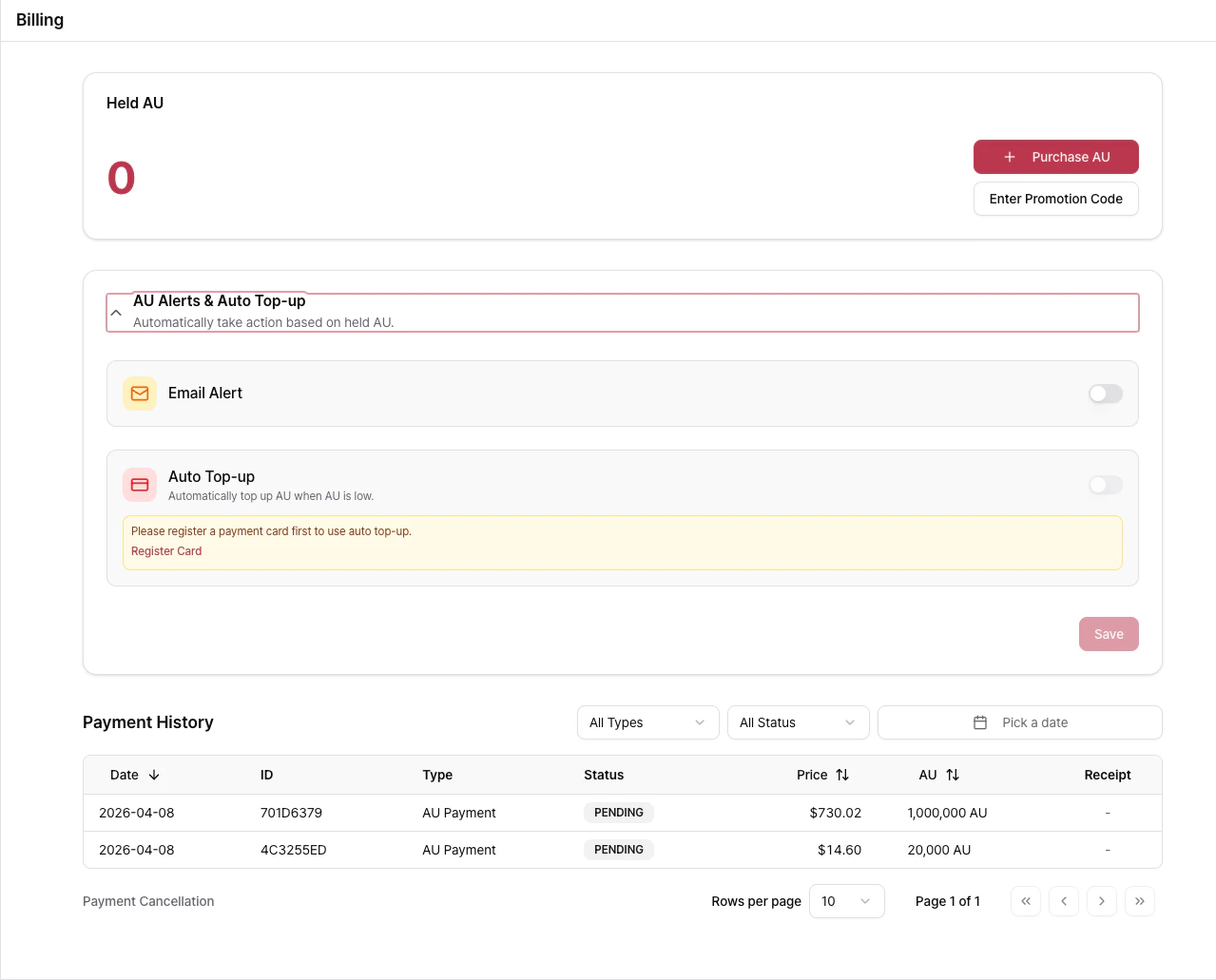
- Usage is measured in AU, which is converted to KRW.
- Use Purchase AU to top up credits in advance and operate cloud services within your available limit.
- When credits are fully depleted, you will be notified via Email Alert. If you do not top up, workloads may be force-stopped.
- To prevent forced stops, you can enable Auto Topup, register a card, and automatically purchase AU based on predefined rules.
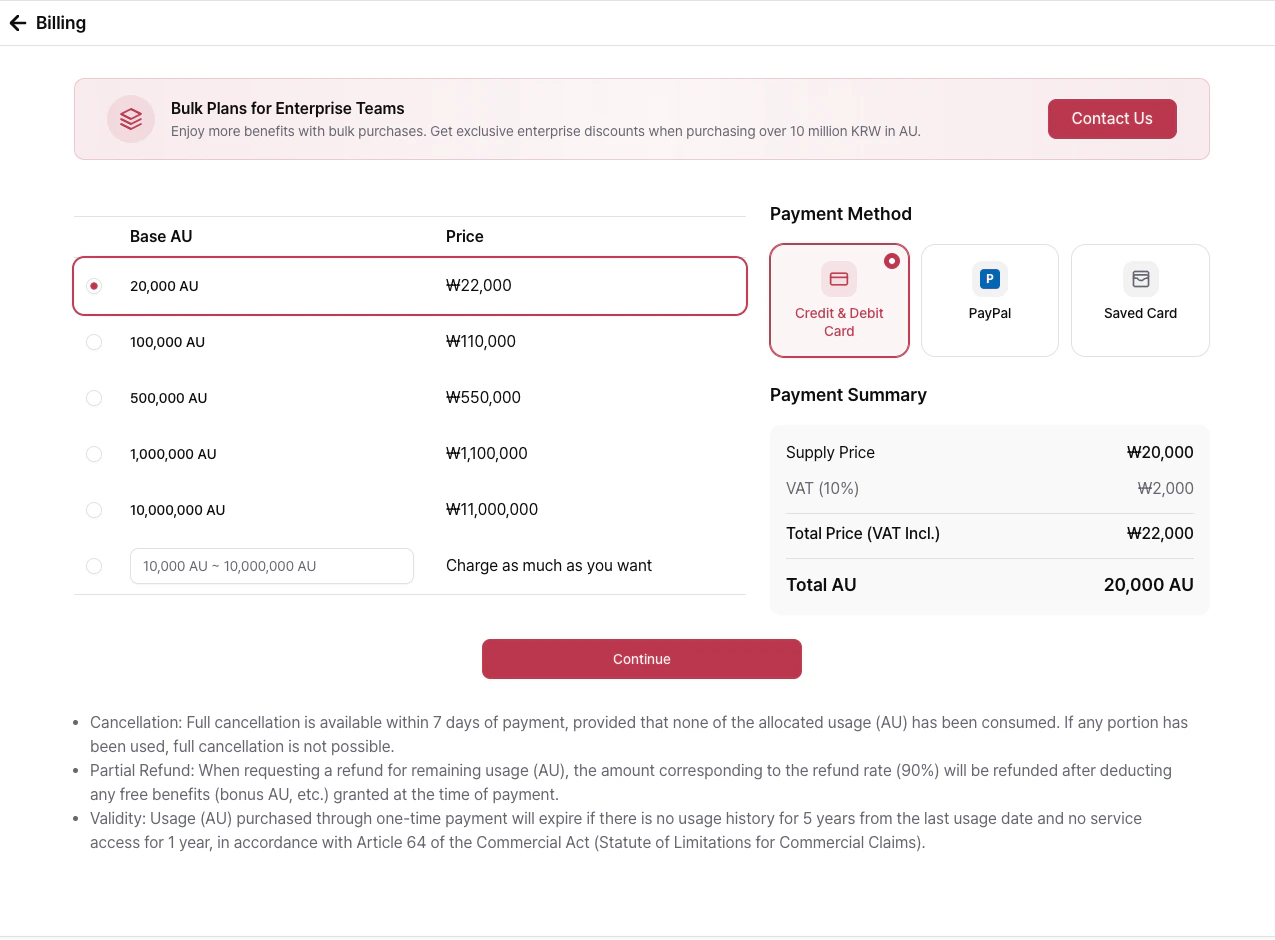
- Supported payment methods
- Toss Payments (Korea, AU prepaid top-up)
- PayPal (Global, AU prepaid top-up)
- Stripe (Global, AU prepaid top-up and card storage for Auto Topup)
- If you register a card for Auto Topup, once your remaining credits drop below a threshold, AU will be automatically purchased using the selected card based on the predefined top-up amount.
Member management
You can invite members to your Organization and assign roles. The Owner has full access to manage settings and members, while Member can view organization data but cannot modify settings.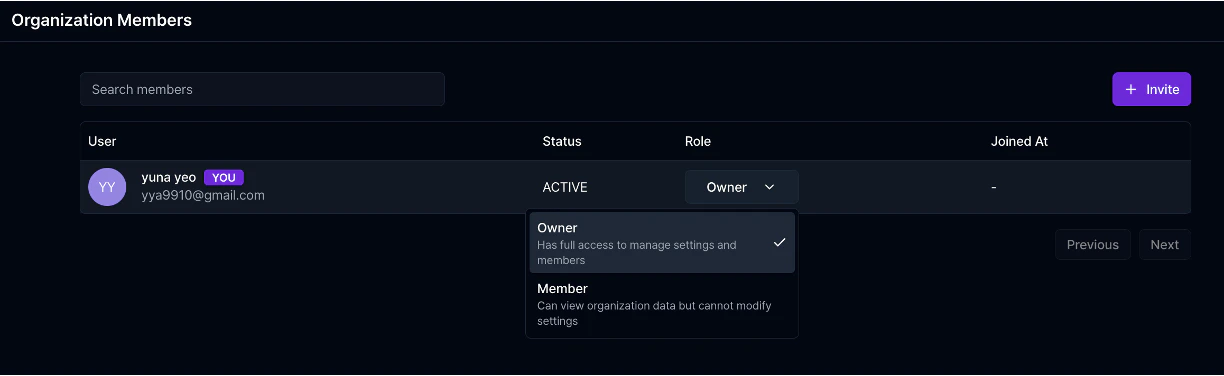
Operational recommendations
- Separate projects for API testing and production workloads based on their purpose.
- For stable organization operations, define roles and access boundaries for each member.
- To ensure continuous service operations, review usage and billing regularly.
- Confirm your credits and payment status before deployments.
Related docs
Quickstart
Review onboarding and first-run flow.
Air API
Learn the API integration flow.
Air Container
Learn container deployment and configuration.
Contact & Feedback
Reach out if you need help or want to share feedback.