> ## Documentation Index
> Fetch the complete documentation index at: https://docs.aieev.com/llms.txt
> Use this file to discover all available pages before exploring further.
# Persistent Storage
> Share persistent storage across multiple containers and replicas
Persistent Storage preserves your data even when a container is stopped or restarted. Within a Project, a single volume can be shared across multiple containers or Replicas.
## What You Can Do with Persistent Storage
Persistent Storage provides flexible data management across your deployments.
* **Support Autoscaling**: Attach the same volume to deployments using Autoscaling and multiple Replicas.
* **Create or Reuse Volumes**: Create a new volume or attach an existing one during container deployment.
* **Share Across Deployments**: Attach the same volume to multiple deployments. When selecting a volume, AirCloud also shows which deployments are currently using it.
* **Modify While Stopped**: Enable, disable, or replace an attached volume while the container is in the **Pending** state.
## Usage
### Create a New Volume
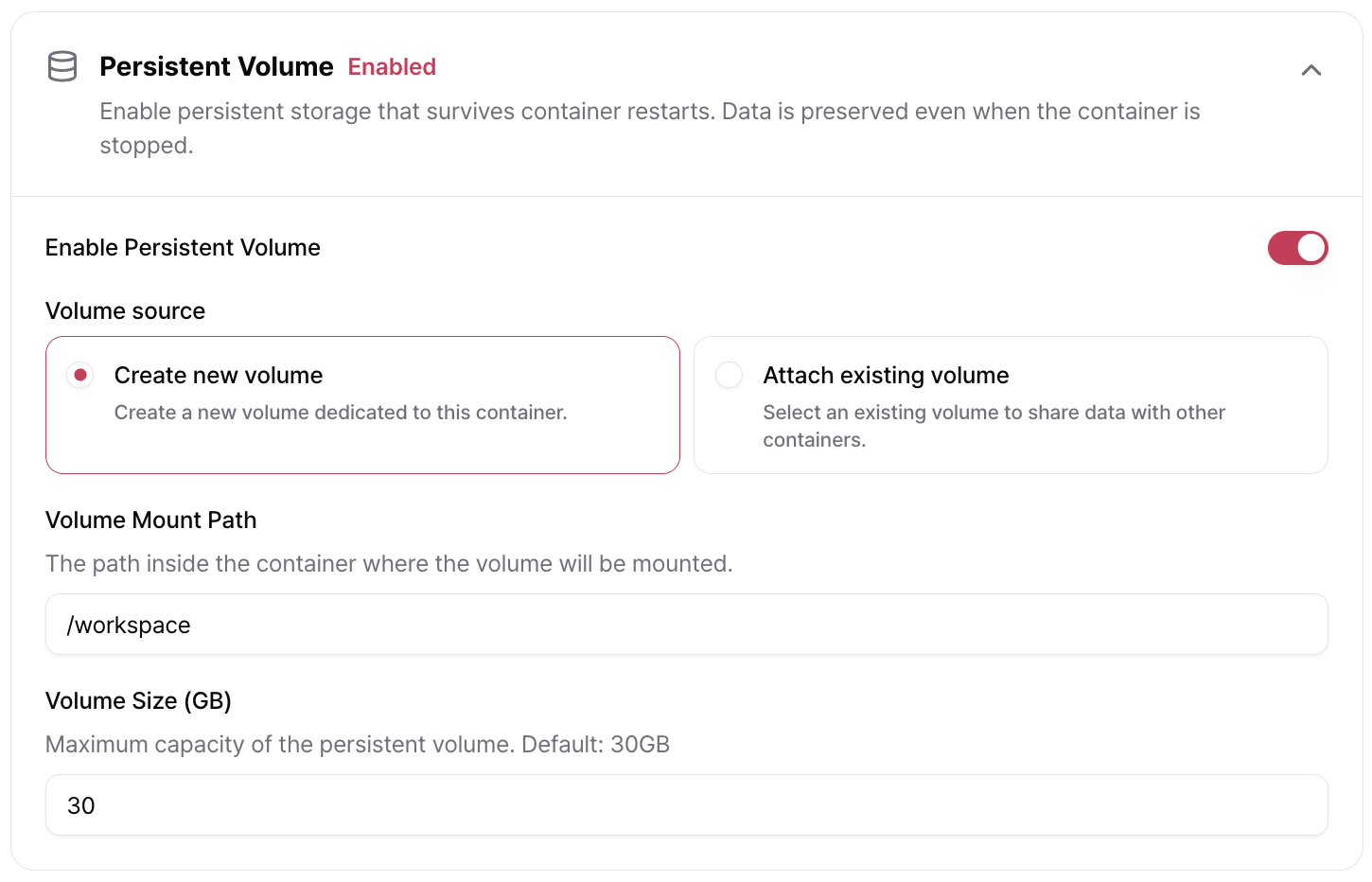
You can create and attach a new Persistent Storage volume during container deployment. Each volume supports up to **300 GB** of storage.
 ### Attach an Existing Volume
You can attach a volume that is already in use by another container, allowing multiple deployments to share the same storage.
When selecting a volume, AirCloud displays the deployments that are currently using it.
### Attach an Existing Volume
You can attach a volume that is already in use by another container, allowing multiple deployments to share the same storage.
When selecting a volume, AirCloud displays the deployments that are currently using it.
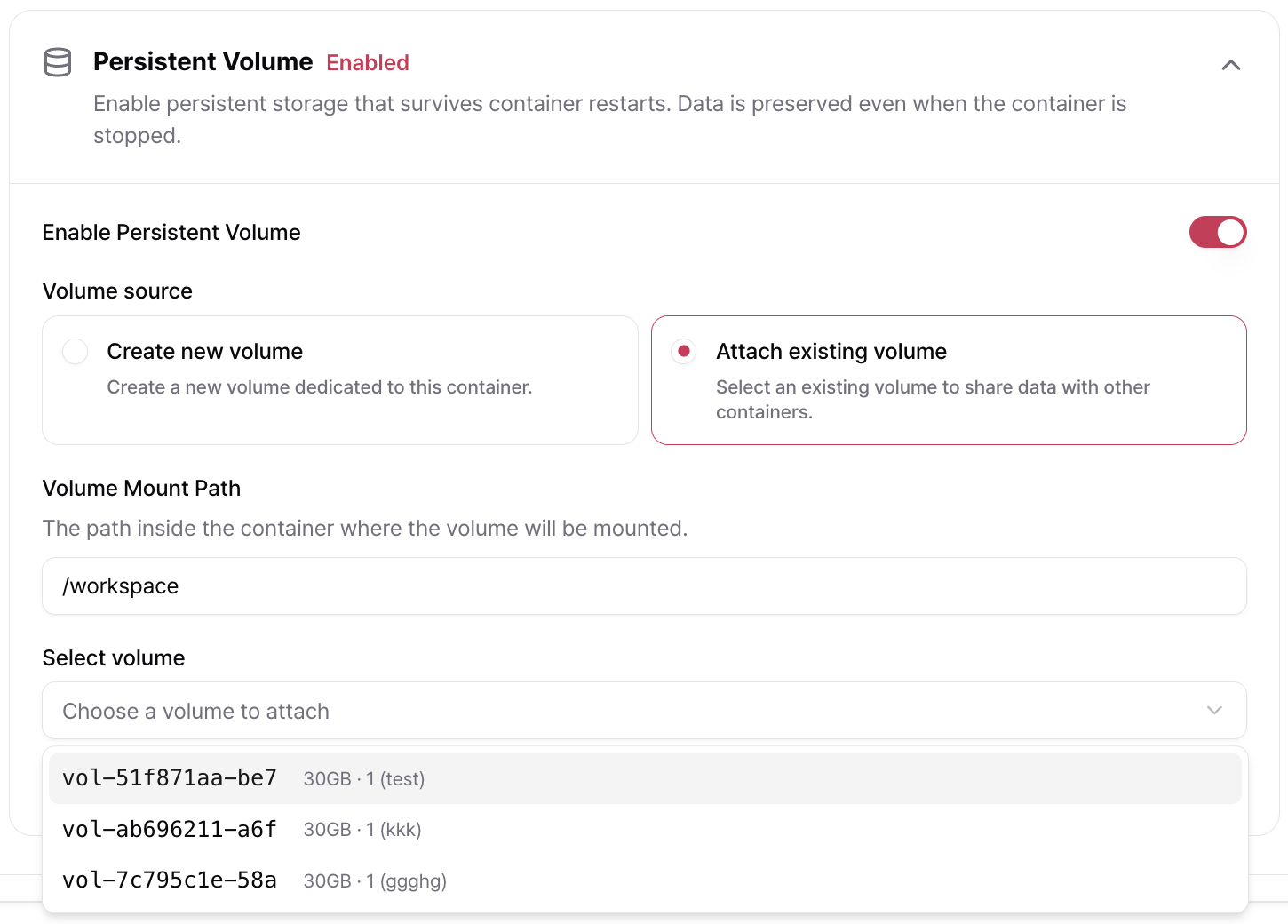 **Multiple Replicas within the same deployment can share a single Persistent Storage volume.** This works seamlessly with Autoscaling-enabled deployments.
### Modify a Volume While Stopped
You can modify Persistent Storage settings only when the container is in the **Pending (Stopped)** state.
You can:
* **Disable** or **re-enable** the attached volume.
* **Replace** the attached volume with another one.
Changes take effect the next time the container is started.
**Multiple Replicas within the same deployment can share a single Persistent Storage volume.** This works seamlessly with Autoscaling-enabled deployments.
### Modify a Volume While Stopped
You can modify Persistent Storage settings only when the container is in the **Pending (Stopped)** state.
You can:
* **Disable** or **re-enable** the attached volume.
* **Replace** the attached volume with another one.
Changes take effect the next time the container is started.